
How to Use SQL to Query LMS Databases in 8 Simple Steps
If you’ve ever tried pulling reports out of an LMS with “basic tools,” you already know the struggle. The data is there, but it’s scattered across tables, fields are named inconsistently, and half the time you don’t even know what “completion” really means in that database.
SQL fixes that. It gives you a repeatable way to ask specific questions—who completed what, where learners get stuck, which quizzes are causing trouble, and what’s changing over time.
In my experience, the fastest way to get unstuck is to work from concrete queries and real LMS patterns (enrollments, attempts, quiz grades, logins, content views). So below, I’m going to lay out 8 simple steps you can follow, with example SQL you can adapt to your LMS schema.
Key Takeaways
- Query LMS data by first understanding your schema (what tables store users, course metadata, enrollments, attempts, and grades), then starting with targeted SELECT statements plus WHERE, ORDER BY, and LIMIT.
- Use multiple SELECT patterns to validate assumptions—recent activity, completions, quiz attempts, and grade distributions—before you build anything complex.
- Use JOINs to stitch together learner activity with course and assessment data. In my experience, most “wrong report” bugs come from join conditions and duplicate rows.
- Track engagement metrics (logins, content views, quiz attempts, completion rate) and tie them to course improvement decisions—like revising modules with high drop-off or retuning quizzes.
- Keep queries fast by adding the right indexes, selecting only needed columns, and checking execution plans. Also, update statistics so the optimizer doesn’t guess badly.
- Secure LMS reporting by enforcing least-privilege access, using parameterized queries, encrypting data in transit, and backing up regularly (and testing restores).
- Automate recurring reporting and cleanup with scheduled SQL jobs, views/materialized views, and sensible refresh cadences (daily/weekly) to keep dashboards current.
- Analyze consistently. When your data stays clean and your queries are repeatable, you can spot trends instead of firefighting every week.

Use SQL to Query LMS Databases Effectively
Here’s the truth: LMS databases don’t usually make your life easy. But once you learn the “shape” of the data, SQL becomes straightforward.
My setup (so you know what I’m basing this on): I’ve used this approach on SQL Server 2019 and MySQL 8 in LMS reporting projects. The table names weren’t identical, but the patterns were. You’ll see the same ideas below whether you’re working with Moodle, Canvas, or a custom LMS schema.
Step 1 (Goal): Map your schema before you write big queries.
Before touching joins, I look for the tables/fields that answer these questions:
- Who? users (user_id, email, name)
- What? courses (course_id, course_title)
- When they started: enrollment/start dates
- When they finished: completion dates or completion status
- How they performed: quiz/assignment attempts + grades
- How they engaged: logins, page/content views, timestamps
Example: quick schema check (SQL Server style). You don’t need perfect knowledge—just enough to start. In SQL Server, I’ll inspect columns and data types:
SELECT TABLE_NAME, COLUMN_NAME, DATA_TYPE

FROM INFORMATION_SCHEMA.COLUMNS

WHERE TABLE_NAME IN ('users','courses','course_completions','quiz_attempts','user_activity')

ORDER BY TABLE_NAME, ORDINAL_POSITION;
Common pitfall: “completion” might be a boolean flag (is_complete) in one system, but a timestamp in another. If you assume the wrong one, your completion rate will be wrong (and you’ll chase ghosts for hours).
Step 2 (Goal): Validate basics with small, safe SELECTs.
Instead of jumping straight into a complex report, I run focused queries and confirm row counts and date ranges. Why? Because LMS data often includes test users, imports, or system-generated attempts.
Start with Basic SQL SELECT Queries for LMS Data
This is where you build confidence. SELECT is your “microscope.” Keep it tight, add filters, and make sure your results match what you see in the LMS UI.
Step 3 (Goal): Pull completions (and confirm what completion means).
Let’s start with a completion table. Your LMS might store completion events per user/course, or per module. Either way, you want a consistent “completed on” field.
Example A: list recent course completions
SELECT user_id, course_id, completion_date

FROM course_completions

WHERE completion_date > '2024-01-01'

ORDER BY completion_date DESC

LIMIT 50;
What you should notice:
- Do you see the same users that completed in the LMS during that time window?
- Are there null completion_date rows? If yes, exclude them or treat them separately.
Example B: completion rate by course (simple denominator)
SELECT cc.course_id,

       COUNT(DISTINCT cc.user_id) AS completed_users

FROM course_completions cc

WHERE cc.completion_date IS NOT NULL

GROUP BY cc.course_id

ORDER BY completed_users DESC

LIMIT 20;
Example C: completions by month (trend view)
SELECT DATE_TRUNC('month', cc.completion_date) AS month_start,

       COUNT(DISTINCT cc.user_id) AS completed_users

FROM course_completions cc

WHERE cc.completion_date IS NOT NULL

GROUP BY DATE_TRUNC('month', cc.completion_date)

ORDER BY month_start DESC;
Example D: find “stuck” enrollments (enrolled but not completed)
This requires an enrollment table (names vary). Here’s the pattern:
SELECT e.course_id,

       e.user_id,

       e.enrollment_date

FROM enrollments e

LEFT JOIN course_completions cc

  ON cc.user_id = e.user_id

 AND cc.course_id = e.course_id

WHERE cc.user_id IS NULL

  AND e.enrollment_date < '2024-01-01'

ORDER BY e.enrollment_date DESC

LIMIT 50;
Common pitfall: multiple completion rows per user/course. If your LMS records multiple completion attempts, you’ll need to dedupe (often by taking MAX(completion_date)).
Step 4 (Goal): Pull quiz/assessment performance (handle attempts correctly).
Quiz tables usually have attempts. A learner might have 3 attempts, but only the latest (or highest) counts.
Example E: latest quiz attempt per user (window function)
WITH ranked_attempts AS (

  SELECT qa.user_id,

         qa.quiz_id,

         qa.attempt_id,

         qa.submitted_at,

         qa.score,

         ROW_NUMBER() OVER (PARTITION BY qa.user_id, qa.quiz_id ORDER BY qa.submitted_at DESC) AS rn

  FROM quiz_attempts qa

)

SELECT user_id, quiz_id, attempt_id, submitted_at, score

FROM ranked_attempts

WHERE rn = 1

ORDER BY submitted_at DESC

LIMIT 100;
Example F: score distribution for a quiz (binning)
This helps you spot “everyone is scoring 10%” problems.
SELECT

  CASE

    WHEN score >= 0 AND score < 20 THEN '0-19'

    WHEN score >= 20 AND score < 40 THEN '20-39'

    WHEN score >= 40 AND score < 60 THEN '40-59'

    WHEN score >= 60 AND score < 80 THEN '60-79'

    WHEN score >= 80 AND score <= 100 THEN '80-100'

    ELSE 'unknown'

  END AS score_bucket,

  COUNT(*) AS attempts

FROM quiz_attempts

WHERE quiz_id = 12345

GROUP BY

  CASE

    WHEN score >= 0 AND score < 20 THEN '0-19'

    WHEN score >= 20 AND score < 40 THEN '20-39'

    WHEN score >= 40 AND score < 60 THEN '40-59'

    WHEN score >= 60 AND score < 80 THEN '60-79'

    WHEN score >= 80 AND score <= 100 THEN '80-100'

    ELSE 'unknown'

  END

ORDER BY score_bucket;
Example G: time-to-complete (enrollment → completion)
If you have both enrollment and completion timestamps, this is gold.
SELECT

  e.course_id,

  AVG(DATEDIFF(day, e.enrollment_date, cc.completion_date)) AS avg_days_to_complete,

  PERCENTILE_CONT(0.5) WITHIN GROUP (ORDER BY DATEDIFF(day, e.enrollment_date, cc.completion_date)) AS median_days_to_complete

FROM enrollments e

JOIN course_completions cc

  ON cc.user_id = e.user_id

 AND cc.course_id = e.course_id

WHERE cc.completion_date IS NOT NULL

GROUP BY e.course_id;
Step 5 (Goal): Identify dropout points using enrollment vs progress.
You usually can’t know “dropout” perfectly, but you can infer it. Here’s a practical pattern: learners enrolled long ago, no completion, and minimal activity after a certain date.
Example H: enrolled > 30 days ago, no completion, low activity
SELECT e.course_id,

       e.user_id,

       e.enrollment_date,

       COUNT(ua.activity_id) AS activity_events

FROM enrollments e

LEFT JOIN course_completions cc

  ON cc.user_id = e.user_id

 AND cc.course_id = e.course_id

LEFT JOIN user_activity ua

  ON ua.user_id = e.user_id

 AND ua.course_id = e.course_id

 AND ua.activity_time >= '2024-01-01'

WHERE cc.user_id IS NULL

  AND e.enrollment_date < DATEADD(day, -30, GETDATE())

GROUP BY e.course_id, e.user_id, e.enrollment_date

HAVING COUNT(ua.activity_id) < 5

ORDER BY e.enrollment_date DESC

LIMIT 50;
Common pitfalls (I’ve hit these):
- NULL dates: completion_date can be null even when status says “complete.” Treat status and timestamps carefully.
- Multiple attempts: don’t average across attempts unless you mean to.
- Time zones: timestamps may be stored in UTC; your “day” boundaries can be off by one.
Once these basic queries return results that match your LMS UI, you’re ready to combine tables.
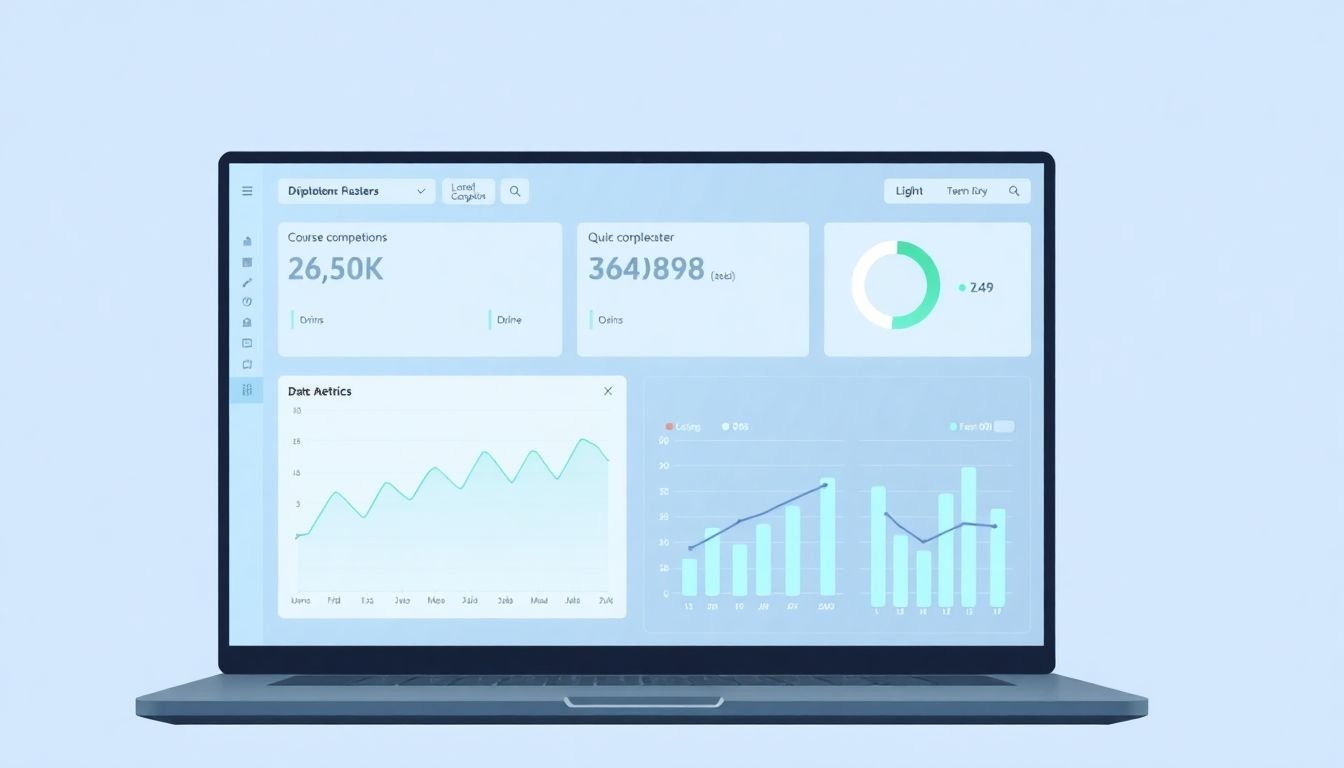
Combine LMS Data Tables with SQL Joins
JOINs are where you turn “raw tables” into a report. But they’re also where mistakes happen—especially when one table has multiple rows per user (attempts, activity logs, views).
Step 6 (Goal): Join carefully to avoid duplicates and wrong counts.
Here’s the pattern I follow:
- Start with the “grain” (what one row represents): user-course? user-quiz-attempt?
- Join from the table that matches the grain you want in the final output.
- Use LEFT JOIN when you want to keep users even if they have no activity/completion.
- Aggregate before joining when the “many side” would explode rows.
Example I: learner + course title + completion date
SELECT u.user_name AS learner,

       c.course_title AS course,

       cc.completion_date

FROM course_completions cc

JOIN users u

  ON u.user_id = cc.user_id

JOIN courses c

  ON c.course_id = cc.course_id

ORDER BY cc.completion_date DESC

LIMIT 100;
Example J: completion rate by cohort (cohort join)
If your LMS has cohorts/batches (sometimes called groups), join enrollments to cohort membership.
SELECT coh.cohort_name,

       COUNT(DISTINCT e.user_id) AS enrolled_users,

       COUNT(DISTINCT cc.user_id) AS completed_users,

       CAST(COUNT(DISTINCT cc.user_id) AS FLOAT) / NULLIF(COUNT(DISTINCT e.user_id),0) AS completion_rate

FROM enrollments e

JOIN cohorts coh

  ON coh.cohort_id = e.cohort_id

LEFT JOIN course_completions cc

  ON cc.user_id = e.user_id

 AND cc.course_id = e.course_id

GROUP BY coh.cohort_name

ORDER BY completion_rate DESC;
Example K: quiz attempts joined to course + user (but aggregated first)
If you join quiz_attempts directly, you’ll multiply rows. I usually aggregate attempts per learner/quiz first.
WITH attempt_summary AS (

  SELECT qa.user_id,

         qa.quiz_id,

         MAX(qa.submitted_at) AS last_attempt_at,

         MAX(qa.score) AS best_score

  FROM quiz_attempts qa

  GROUP BY qa.user_id, qa.quiz_id

)

SELECT u.user_name,

       q.quiz_title,

       a.last_attempt_at,

       a.best_score

FROM attempt_summary a

JOIN users u ON u.user_id = a.user_id

JOIN quizzes q ON q.quiz_id = a.quiz_id

ORDER BY a.best_score DESC, a.last_attempt_at DESC

LIMIT 200;
Troubleshooting (real-world errors you’ll see):
- “My counts are too high.” That’s almost always duplicate rows from joining to a many-side table. Fix by aggregating first or deduping with a window function.
- “My completions show up as null.” Usually the join keys don’t match (course_id type mismatch, or different IDs for course vs course instance).
- “The query is slow after adding a JOIN.” Check indexes on join keys (user_id, course_id, quiz_id) and filter early with WHERE clauses.
Once your joins produce correct, non-duplicated results, you can start measuring engagement and improvement.
Track and Analyze Learner Engagement Metrics for Better Course Improvement
This is where SQL turns into something you can actually act on.
Step 7 (Goal): Build engagement metrics you can trust—and refresh regularly.
I usually track these metrics because they’re common across LMS platforms and easy to explain to instructors:
- Logins: count of login events per user/course/week
- Content views: how often learners open modules/lessons
- Quiz attempts: attempts + best score + last score
- Completion: completed users and completion dates
Example L: weekly logins per course
SELECT ua.course_id,

       DATE_TRUNC('week', ua.activity_time) AS week_start,

       COUNT(DISTINCT ua.user_id) AS active_learners,

       COUNT(*) AS login_events

FROM user_activity ua

WHERE ua.activity_type = 'login'

GROUP BY ua.course_id, DATE_TRUNC('week', ua.activity_time)

ORDER BY week_start DESC;
Example M: content revisit rate (views per learner)
If you store lesson views in activity logs, use a per-learner average.
SELECT course_id,

       AVG(views_per_learner) AS avg_views_per_learner

FROM (

  SELECT user_id, course_id,

         COUNT(*) AS views_per_learner

  FROM user_activity

  WHERE activity_type = 'content_view'

  GROUP BY user_id, course_id

) x

GROUP BY course_id

ORDER BY avg_views_per_learner DESC;
Example N: completion rate by engagement level (simple segmentation)
This is a practical way to answer: “Are engaged learners more likely to finish?”
WITH engagement AS (

  SELECT course_id,

         user_id,

         COUNT(*) AS login_events

  FROM user_activity

  WHERE activity_type = 'login'

    AND activity_time >= '2024-01-01'

  GROUP BY course_id, user_id

), seg AS (

  SELECT course_id,

         user_id,

         CASE

           WHEN login_events < 3 THEN 'Low'

           WHEN login_events BETWEEN 3 AND 7 THEN 'Medium'

           ELSE 'High'

         END AS engagement_bucket

  FROM engagement

)

SELECT s.course_id,

       s.engagement_bucket,

       COUNT(DISTINCT s.user_id) AS users_in_bucket,

       COUNT(DISTINCT cc.user_id) AS completed_users,

       CAST(COUNT(DISTINCT cc.user_id) AS FLOAT) / NULLIF(COUNT(DISTINCT s.user_id),0) AS completion_rate

FROM seg s

LEFT JOIN course_completions cc

  ON cc.user_id = s.user_id

 AND cc.course_id = s.course_id

GROUP BY s.course_id, s.engagement_bucket

ORDER BY s.course_id, completion_rate DESC;
Dashboards (what I actually do):
I don’t like dashboards that run heavy queries every page load. Instead, I create a view or materialized table for metrics.
- SQL Server: I’ll often use a view for light queries, and for heavier aggregates I’ll refresh a reporting table on a schedule.
- MySQL/Postgres: similar idea—pre-aggregate for weekly/daily dashboards.
Refresh cadence that tends to work: daily for login/content metrics, weekly for completion aggregates (unless you need near-real-time).
Implementation tip: if you’re using a BI tool (Power BI, Tableau, Metabase), make the SQL side produce stable columns like week_start, active_learners, completion_rate. It makes charting painless and reduces “mystery nulls.”
One incident I ran into: our “weekly active learners” dashboard started taking ~12 minutes after the LMS grew. The culprit wasn’t the BI tool—it was the underlying query scanning the activity table. After adding an index on (course_id, activity_type, activity_time) and updating statistics, the runtime dropped to under 45 seconds. That was the day I stopped treating indexes as an afterthought.
Optimize Your LMS Database Performance with Effective Indexing and Statistics
Performance tuning is not glamorous, but it’s what keeps your LMS reporting usable.
Step 8 (Goal): Optimize queries with indexes, updated statistics, and execution-plan checks.
What to index (based on your WHERE/JOIN patterns):
- Join keys: user_id, course_id, quiz_id
- Filter keys: activity_type, completion_date, enrollment_date
- Sort keys: timestamps you ORDER BY frequently
Example: index strategy for engagement queries
(Exact syntax depends on your database. The idea stays the same.)
- Activity table: index on (course_id, activity_type, activity_time)
- Completion table: index on (course_id, completion_date)
- Enrollments: index on (course_id, enrollment_date)
Statistics matter: the optimizer uses table statistics to choose the plan. If statistics are stale, you’ll see bad join orders and full table scans. In SQL Server, Microsoft documents AUTO_UPDATE_STATISTICS and related behavior. (If you’re not on SQL Server, look for the equivalent “auto update statistics” feature in your DB.)
Execution plan check (SQL Server):
- Use the actual execution plan in SSMS
- Look for scans vs seeks
- Check where time is spent (often large scans on activity logs)
Performance pitfalls I see a lot:
- Selecting too many columns: it increases I/O. Pick only what you need for the report.
- Functions on indexed columns: can prevent index usage (e.g., wrapping columns in expressions in WHERE).
- Joining unfiltered activity logs: always filter by date range early when possible.
Practical tuning workflow:
- Run the query for a small date range first.
- Check execution plan.
- Add the smallest set of indexes that fixes the scan.
- Re-run and confirm runtime + logical reads improved.
Secure Your LMS Data: Best Practices for SQL Security and Backup
When you’re querying LMS databases, you’re dealing with real personal data. So security isn’t optional.
Security basics I follow:
- Least privilege: reporting users should only have read access to the tables they need.
- Encrypt in transit: use TLS/SSL for connections.
- Parameterized queries: avoid string-building SQL where user input is involved.
- Audit access: log who queried what if your environment supports it.
Backups (and the restore test you can’t skip):
I once saw a team rely on backups for months… until they tried a restore and discovered the backups were misconfigured. So now I test restores on a schedule.
Corruption-safe routine:
- Back up daily (or per your RPO)
- Perform a restore test regularly (weekly or monthly depending on risk)
- Document the restore procedure and verify you can reach a consistent state
If you’re on SQL Server and you want fast, point-in-time recovery options, Microsoft documents database snapshot concepts here: database snapshots.
One more thing: if you’re creating reporting tables/views, make sure they don’t accidentally expose sensitive fields (emails, addresses, etc.). Often you can keep reports on user_id + anonymized attributes instead.
Automate Routine Data Tasks with SQL Scripts and Job Scheduling
Once your queries work, automation is the next step. Otherwise you’re going to end up running the same report manually and introducing errors.
Automation approach that works well:
- Create a SQL script (or stored procedure) for each “report dataset”
- Schedule it with your DB scheduler (SQL Server Agent, cron, etc.)
- Write results into a reporting table
- Have your dashboard query the reporting table (not the raw LMS tables)
Example: weekly completion refresh (pattern)
-- 1) refresh reporting table (delete + insert, or merge)

-- 2) use a date filter to keep it incremental

-- 3) log row counts so you can detect failures
Common pitfalls:
- No failure alerts: add job failure notifications so you don’t discover missing data days later.
- Full refresh every time: if the tables are huge, incremental refresh is usually better (e.g., refresh only the last 7–14 days).
- No data contracts: if columns change in the LMS, your job should fail loudly rather than silently producing nonsense.
I also like to keep a “data sanity” query that runs after refresh—things like “did row counts drop to zero?” or “are completion_date values suddenly null?” Those quick checks save embarrassment.
And yes—if you want to keep your scripts maintainable, it helps to structure them like small, testable steps rather than one giant query that nobody dares to touch.
Wrap Up: Use SQL to Get the Most Out of Your LMS Data
If you follow the 8 steps above, you’ll go from “I have tables” to “I have answers.” And that’s the whole point.
You start by validating your schema, then you use SELECT to confirm the basics (completions, attempts, engagement). From there, joins help you build complete learner views. Once your metrics are trustworthy, you make them fast with indexes and updated statistics, secure everything properly, and automate the parts that shouldn’t be manual.
Do that, and your LMS data stops being a haystack. It becomes a reliable feedback loop for course improvement.
FAQs
Start small: run basic SELECT queries on the tables you’re most confident about (users, courses, enrollments, completions). Then add WHERE filters for a known date range and confirm the results match what you see in the LMS UI.
JOINs let you combine learner activity with course and assessment data so you can answer bigger questions—like “Which quizzes correlate with completion?” Just be careful about row duplication when joining to attempt/activity tables.
Pick only the columns you need, filter early (especially on large activity tables), and index the columns used in your WHERE and JOIN clauses. Then check execution plans—if you see scans, it’s usually a missing index or an expression blocking index usage.
Stored procedures are reusable SQL routines stored in the database. They help you run the same report logic consistently (especially for scheduled refresh jobs) and keep application code cleaner. They’re also useful for enforcing parameter rules so you don’t accidentally query the wrong date ranges.