The Role of Wearables in Online Learning: Benefits and Future Insights
Wearable tech is everywhere right now—smartwatches, fitness bands, even AR glasses—and I get why you’d wonder if it’s going to help or just become another distraction during online learning.
In my experience, the difference comes down to how you use it. If you treat wearables like a “nice-to-have gadget,” students tune out. But when you tie the data to a specific learning activity (and you keep the workflow simple), it can genuinely improve participation and support.
Below, I’ll break down the real benefits I see in practice—plus what’s still uncertain—so you can decide whether wearables make sense for your courses.
Key Takeaways
- Engagement + feedback (not just “tracking”): Use wearables to trigger specific check-ins (e.g., short attention breaks) when certain patterns show up (like low activity or long periods of inactivity). Start with a 1–2 week pilot and compare engagement metrics (attendance, completion, quiz attempts) before you scale.
- Market momentum: The classroom wearables market was valued around $1.22B in 2022 and projected to reach about $6.2B by 2032 (CAGR ~17.64%), which is a sign schools are experimenting—though it doesn’t automatically mean every use case works.
- Accessibility features you can actually deploy: Pair devices with course-level tools like captions, screen-reader compatible materials, and (where appropriate) haptics/voice prompts. Don’t assume a wearable alone solves accessibility—think “wearable + content + accommodations.”
- Personalization needs clear rules: If you’re inferring “focus,” be transparent about the proxy. For example: use heart-rate variability (HRV) trends or motion/activity levels as indicators, not direct proof of attention.
- Hands-free learning works best in skills training: AR glasses or voice assistants can support step-by-step guidance in labs/fieldwork simulations. The win is reducing context switching (no constant screen switching), not replacing instruction.
- Well-being is a measurable input: Sleep duration, activity, and stress-related signals can inform optional interventions (like scheduling adjustments or mindfulness prompts). Just keep it opt-in and privacy-first.
- Adoption is the hard part: Budget, device management, training time, and data privacy are real barriers. Plan for onboarding, content templates, and a support channel—not just device procurement.
- Future potential is real, but uneven: Smart textiles and tighter interoperability could improve comfort and data quality, but policy, cost, and standards will determine how fast it reaches classrooms.
The Importance of Wearables in Online Learning
Wearables are becoming part of the online learning toolkit, mostly because they can capture signals that LMS activity logs miss. Clicks and time-on-page are useful—but they don’t tell you whether a learner is overwhelmed, disengaging, or simply stuck.
In practice, wearables can provide real-time feedback that helps educators respond quickly. For example: if a learner’s physiological signals shift during a live session, you might pause for a quick reset (a two-minute reflection prompt, a breathing exercise, or a “try this” micro-activity) instead of waiting until the next assignment is graded.
There’s also market data backing the momentum. One widely cited estimate puts the classroom wearables technology market at about $1.22B in 2022, projected to reach roughly $6.2B by 2032 (CAGR around 17.64%). That kind of growth usually means more pilots, more vendors, and—hopefully—better evidence over time.
One thing I like about wearables is that they can make learning more personal without turning everything into constant monitoring. Students can opt into health and activity tracking, and educators can use it to adjust pacing, recommend breaks, or flag when someone might need support.
How Wearables Boost Engagement in Online Education
If you want engagement, you need something interactive. Wearables can support that because they add another “input channel” besides the keyboard and mouse.
Here are a few ways I’ve seen it work (and what you should measure so it’s not just hype):
- Participation triggers: Use a smartwatch or fitness band to detect long inactivity windows and prompt a quick check-in (e.g., “Answer this question” or “Stand up and do a 30-second stretch”). Then track attendance and completion rates.
- Activity-based learning: In a PE-adjacent online unit, use step counts or active minutes to unlock practice missions. The key is linking activity to learning outcomes (like reflecting on how movement affects focus), not just collecting numbers.
- AR-guided tasks: For vocational or STEM simulations, AR glasses can show overlays while a student performs a task. You measure success by task accuracy and time-to-complete, not by “cool factor.”
About retention: it’s tempting to claim wearables “improve retention” automatically. The more accurate version is that wearables can support retention when they enable earlier intervention (like detecting disengagement patterns) and when the intervention is actually used.
What I’d look for in credible research is whether studies report outcomes like course completion, drop-off rates, or engagement metrics, and whether the effect holds after accounting for baseline differences. Some learning analytics work has suggested that physiological and behavioral signals can correlate with engagement and learning outcomes, but results vary a lot by context and measurement method.
So yes—wearables can help. But you’ll only feel the benefit if you build a tight loop: signal → interpretation → teaching action → outcome measurement.
Enhancing Accessibility in Online Learning with Wearable Technology
Accessibility is one of the most practical areas for wearables, mostly because they can complement existing assistive tech instead of replacing it.
For instance, a student who’s hard of hearing can benefit when a course is captioned and the wearable supports quick notifications or vibration-based alerts for key moments (like “new section starts” or “poll is open”). If you’re using voice input, a wearable can also make it easier for some learners to participate without heavy typing.
That said, I don’t like the “wearables solve accessibility” narrative. Accessibility is a system: content formats, teacher workflows, accommodations, and assistive features all have to work together. A wearable is just one piece.
If you’re planning to roll this out, I’d start with a small checklist:
- Are your videos captioned and transcripts available?
- Do your quizzes work with screen readers and keyboard navigation?
- Can learners control notifications so they don’t get overwhelmed?
- Is there an alternative pathway if a device fails or a student can’t use it?
Once those basics are in place, wearables can add flexibility—especially for reminders, hands-free navigation, and real-time alerts.
Using Real-Time Data for Personalized Learning Experiences
Let’s talk about personalization, because this is where people usually overpromise.
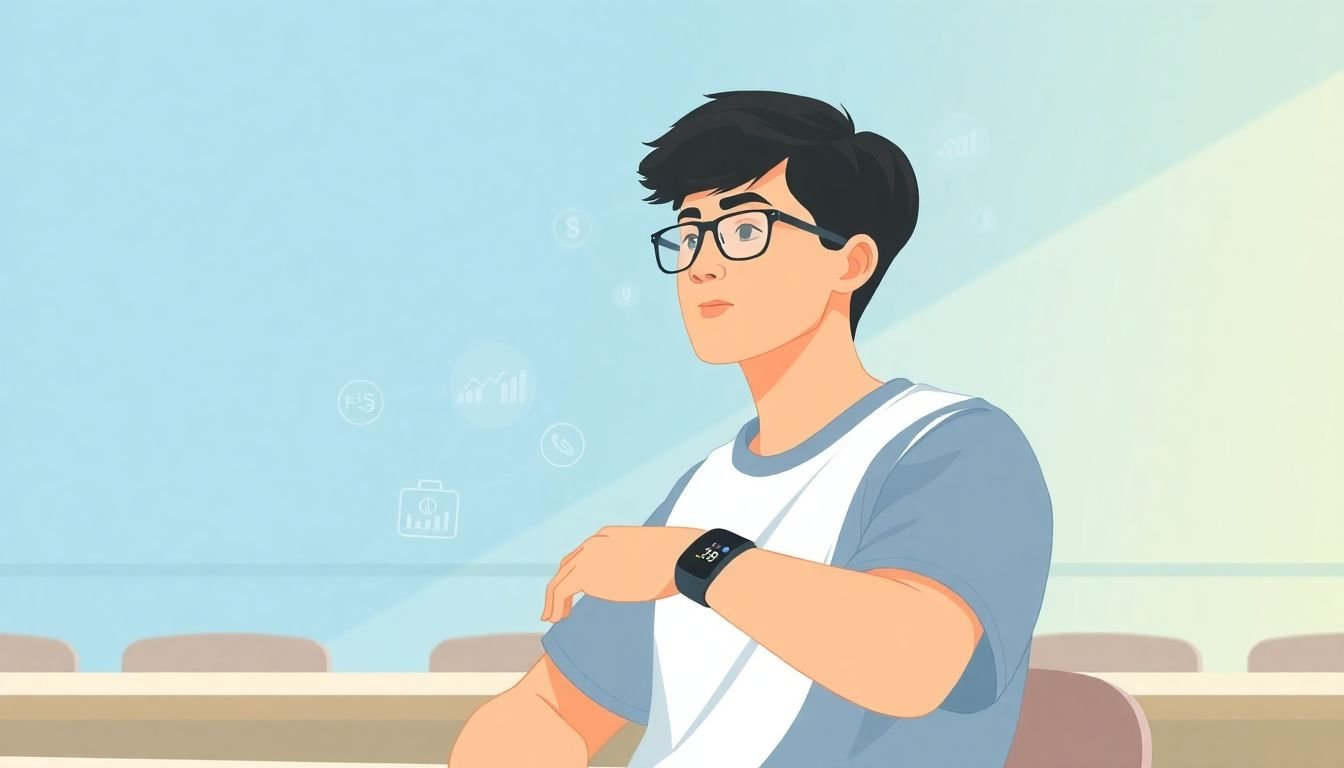
Wearables can stream data like heart rate, heart-rate variability (HRV), skin temperature, and motion/activity from accelerometers. The trick is using that data as a proxy for learning state—then validating that your intervention actually helps.
What “focus” usually means (and what it doesn’t)
When courses say they’re measuring “focus levels,” they often mean something like:
- HRV trends (often used as an indicator of stress or cognitive load)
- Activity/motion patterns (accelerometer-based movement as a rough proxy for attention or participation)
- Consistency signals (how stable a learner’s patterns are across a session)
But HRV and motion aren’t direct measurements of attention. They’re indirect indicators, and they can be affected by exercise, caffeine, sleep, illness, or just sitting differently. So the most responsible approach is to use these signals to recommend or trigger low-stakes supports, not to “diagnose” engagement.
A realistic personalization workflow
Here’s a simple workflow I’d recommend for a first pilot (and it’s the kind of setup where you can actually evaluate results):
- Collect: Use wearable sensors to gather HR (and optionally HRV), plus accelerometer activity during a live session.
- Aggregate: Calculate a rolling summary every 5 minutes (example: “movement decreased for 15 minutes” or “HRV dropped relative to the learner’s baseline”).
- Interpret: Apply a conservative threshold (example: only flag if the change persists across two consecutive windows, like 10 minutes total).
- Intervene: Send a prompt like “Take 60 seconds—then answer this question” or “Try the next step with a checklist.”
- Measure: Track quiz attempts, assignment completion, and self-reported perceived difficulty (quick 1–5 rating).
One reason this works better than “always monitor” is that it limits false alarms. If you’re too sensitive, learners feel judged. If you’re too conservative, nothing changes.
On the evidence side: studies in educational technology and learning analytics have explored physiological signals and engagement indicators, but it’s not one-size-fits-all. Some research suggests that physiological measures can correlate with learning states and performance; however, the strongest conclusions usually come from well-designed studies that define the signals clearly and validate them against behavioral or performance outcomes. So treat personalization claims as an ongoing research area, not a guaranteed outcome.
Facilitating Hands-Free Learning and Practical Skills Training
Hands-free learning is where wearables can feel most “obviously useful.” Not because the tech is flashy—but because it reduces friction.
Here’s what I mean: when learners can listen to instructions, view step overlays, or get haptic prompts without constantly switching screens, they spend more cognitive energy on the task itself.
Example activity: AR-guided assembly simulation
Imagine a mechanical or electronics module where students assemble a simple device (real or simulated). With AR glasses, you can display:
- Step-by-step overlays (“attach gear A here”)
- Safety reminders (“disconnect power before step 3”)
- Progress markers (“Step 2 of 5”)
Then you measure outcomes like:
- Task completion rate
- Number of errors per step
- Time-to-complete
- Post-task quiz accuracy
The limitation? AR wearables can be expensive, and some learners may need time to adjust to the device. Also, not every course needs AR—voice guidance alone can be enough for many skills training scenarios.
Promoting Health and Well-Being Through Wearable Devices
Wearables also bring a different kind of value: they can support health and well-being, which matters because learning isn’t happening in a vacuum.
Many devices track sleep duration, physical activity, and sometimes stress-related markers. When used responsibly, you can incorporate that into learning in ways that don’t cross privacy lines.
What “well-being integration” looks like in a course
- Optional check-ins: At the start of a week, ask students to opt into a sleep/activity summary from their wearable app (or use a manual “I slept X hours” prompt).
- Adaptive pacing: If a learner reports low sleep or the course sees a pattern of stress indicators, provide an alternative assignment format (shorter practice session, more guided examples).
- Micro-breaks: Trigger a 2-minute reset when activity patterns suggest prolonged disengagement (for example, repeated inactivity during a live session).
One important note: don’t frame this as “your body data proves your motivation.” Instead, treat it as context and support. And always give learners a way to opt out.
Addressing Challenges in the Adoption of Wearables in Education
Here’s the part nobody wants to talk about: adoption is usually the biggest barrier.
Cost is obvious. Even if you can get devices at a discount, you still need charging, replacements, device management, and support.
Teacher training is the next hurdle. If instructors don’t know what to do with the data, the wearable becomes a distraction (or gets ignored entirely).
And then there’s privacy. Physiological data isn’t like a quiz score. You need clear consent, data minimization, and a plan for how long you store anything.
How I’d make the rollout more realistic
- Start with a 4–6 week pilot: One course, one grade level, 20–50 learners if possible.
- Define success metrics up front: attendance, completion rate, assignment submission times, and a short learner survey (perceived stress and usefulness).
- Decide what data you will and won’t use: For example, use only engagement prompts (not raw physiological streams) unless you have strong governance.
- Plan onboarding: 30–45 minutes for teachers (how to interpret signals + what interventions to use) and a short student guide (how to wear the device and where to view settings).
- Have an “if it breaks” fallback: paper-based alternatives or non-wearable versions of the same activities.
Funding and partnerships (examples you can actually look into)
If you’re thinking about grants, I’d start by checking:
- Local/state education innovation grants (often tied to digital learning or student well-being)
- Workforce development and STEM initiatives (especially for skills training pilots)
- Public-private partnerships with device vendors or learning technology providers
For training, consider a simple schedule: Week 0 (setup), Week 1 (observe + minor tweaks), Weeks 2–5 (run interventions), Week 6 (review results and decide whether to scale).
Looking Ahead: The Future of Wearables in Online Learning
I’m optimistic about wearables in education, but I’m also realistic about what will slow things down.
What could drive growth in the next few years:
- Interoperability: If devices and learning platforms work together more cleanly (common APIs, consistent data formats), teachers won’t have to stitch systems manually.
- Cost curves: As mainstream wearables get cheaper, schools can run pilots without betting huge budgets on one vendor.
- Policy and privacy standards: Clearer rules around consent and data use will make adoption less risky.
And yes, smart textiles and more comfortable sensors could improve data quality (or at least reduce the “I don’t want to wear this” problem). But even then, the classroom impact will depend on whether educators can turn signals into useful, ethical actions.
In other words: the future isn’t just about better sensors. It’s about better teaching design.
FAQs
They can boost engagement when the data leads to a specific learning action—like a timed prompt, a short reflection break, or an activity unlock—rather than just “collecting information.” I’d measure engagement with attendance, participation in live activities, assignment completion, and short student feedback on whether the prompts felt helpful (not annoying).
Wearables can support accessibility by enabling hands-free input, quick alerts, and alternative ways to receive course information (like vibrations or voice prompts). But real accessibility still depends on your course design—captions, transcripts, keyboard navigation, and accommodation options.
Real-time signals (like HR/HRV trends or activity patterns) can be used to infer likely learning states and trigger low-stakes supports—extra practice prompts, pacing adjustments, or break recommendations. The best personalization is transparent: you define what the proxy means, set conservative thresholds, and validate outcomes against learning performance and learner feedback.
The big ones are device cost and logistics, teacher training, integration with existing learning management systems, and data privacy/consent. If you don’t plan for onboarding and a fallback when devices fail, the pilot can turn into extra work without measurable learning gains.