Learning Stations for Differentiated Instruction: How to Guide
Teaching can feel like juggling—no kidding. I’ve had days where I’m trying to explain the same concept to a room full of learners who are at totally different starting points, and I’m also supposed to keep behavior, engagement, and pacing under control. When everyone’s moving at the same speed, it’s hard to meet needs without turning into a one-person support system.
That’s where learning stations saved me. In my experience, when students rotate through focused tasks, it’s easier to differentiate without “extra” work magically appearing out of thin air. You get more time to pull small groups, and students stay busy doing something purposeful instead of waiting for you.
Below is how I set them up, how I differentiate them (without planning 20 different worksheets), and what I’d change if I had to redo my first week with stations.
Key Takeaways
- Learning stations are classroom “work zones” where students rotate through different tasks tied to the same learning goal.
- Group students by need (not just seating or friendships) and build in choice so they can access the work in a way that fits.
- Use variety on purpose: one station might be reading-based, another hands-on, another practice/skills-focused, and another extension.
- Keep directions simple and consistent. Routines + clear timing reduce chaos more than any clever activity ever will.
- Start with fewer stations and update them based on what students actually do (not what you hoped they’d do).
- Stations can support collaboration and free you up for targeted small-group instruction—when the rotation system is tight.
Learning Stations: What They Actually Look Like in a Real Classroom
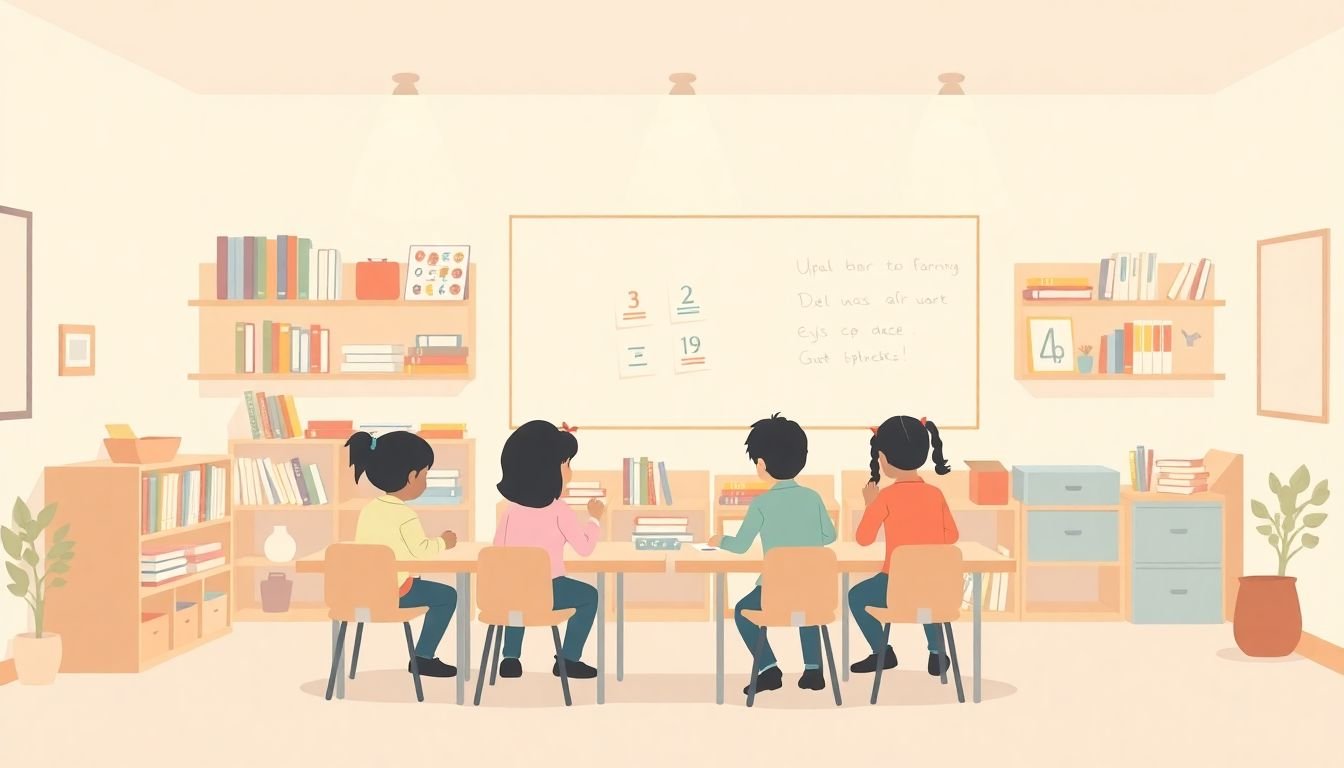
Learning stations are basically “mini work areas” in your classroom where students rotate through different tasks. The key detail (and the part I wish I’d learned sooner) is that stations aren’t random activities. They’re different ways to practice the same learning target.
For example, if the target is “main idea and key details,” I might set up:
- Station 1: short text + highlight main idea/key details (scaffolded)
- Station 2: graphic organizer + paragraph sorting (on-level)
- Station 3: independent reading passage + justify answers (extension)
- Station 4 (teacher): quick conference with a small group using a checklist
In my experience, once students know the routine, the energy changes. Instead of waiting for you, they’re working. Instead of you being everywhere, you’re targeted. And yes—when they’re moving, boredom drops fast.
This matters even more in diverse classrooms. A 2021 report from the National Center for Education Statistics highlights increasing diversity in U.S. public schools, which is a strong reason to plan instruction that can flex.
So if you’re working with multilingual learners, students who need extra practice, or advanced students who finish early—stations give you a structure that doesn’t fall apart the moment you have mixed readiness.
Strategies for Differentiated Learning Stations (Without the Chaos)
Differentiated learning stations are just stations where tasks are adjusted for different needs—skill level, language supports, background knowledge, or the way students demonstrate understanding.
Here’s what worked best for me:
1) Group by need, not vibes
Don’t group students only by seating or friendships. Instead, use quick data: a recent quiz, a reading inventory, exit tickets, or even a short warm-up during class. Then create groups based on “what they need next.”
Example (math): if your class is practicing multiplication, you can run one station for students who need times-table fluency, another for students ready for word problems, and a third for students who can explain their thinking using models.
2) Differentiate with tiers (3 levels is plenty)
You don’t need 10 versions of the same station. I usually build 3 tiers:
- Tier 1 (support): fewer problems, more scaffolds, sentence starters/number lines/step-by-step models
- Tier 2 (on-level): standard number of problems, regular directions
- Tier 3 (extension): harder application, reasoning, or challenge questions
Then each station card includes the same “goal” but different “how.” That keeps the lesson coherent and reduces planning time.
3) Build in choice—just not unlimited choice
Choice is motivating, but too many options can slow rotation. What I prefer is “choice within the station.” For instance: “Choose A or B” inside the same station. Students feel control, and you still manage pacing.
4) Refresh the station work on a schedule
Rotations help, but kids also notice repetition. If you run the same station cards for 4–6 weeks, you’ll get the “I’ve done this already” energy. I aim to refresh at least one station per week (even if the target stays the same).
5) Tie stations to your lesson plan
Stations should feel like part of your instruction, not a separate event. If you need help aligning them to daily objectives, this guide on how to write effective lesson plans for beginners can help you map station tasks to the objective and checks for understanding.
A sample station schedule (works in most classrooms)
If you’re new to stations, try this structure:
- 4 stations x 12 minutes (plus 3 minutes setup/transition = ~51 minutes)
- Use a timer students can see.
- Teacher station includes a quick checklist and 2–3 targeted questions.
What I noticed the first time I tried it: students stayed on task longer because they knew exactly when they’d rotate. No guessing. No “how long is this?”
Ideas and Activities for Learning Stations (Concrete Examples You Can Copy)
If you’re stuck on what to put in stations, start with categories. Then swap in different tiers.
Reading / Language Arts station ideas
- Text + highlight: short passage, highlight main idea + details (Tier 1 includes a word bank)
- Graphic organizer: students sort sentence strips into “main idea” vs “supporting details”
- Read + record: students read aloud to a partner and answer 2 comprehension questions (teacher listens at teacher station)
- Writing prompt station: choose a picture prompt; Tier 1 uses sentence starters, Tier 3 requires a claim-evidence-reasoning paragraph
Math station ideas (with a real differentiation model)
Here’s a station set I’ve used for multiplication facts:
- Station A: Fact fluency (Tier 1–2) — tactile cards or skip-counting on a number line; Tier 1 includes partially filled patterns.
- Station B: Word problems (Tier 2–3) — Tier 2 solves 3 problems; Tier 3 solves 2 problems and explains which model matches best.
- Station C: “Build it” models (Tier 1–2) — base-ten blocks or arrays; students write an equation to match their model.
- Station D: Teacher mini-conference — quick check: “Show me how you know this is correct.”
Materials list (simple version): dice, index cards, laminated task cards, pencils, and an array mat. You don’t need fancy stuff.
Science / Hands-on station ideas
- Observation station: plant growth observation (students measure height once and predict next week)
- Mini lab: sink/float experiment (Tier 1 uses a prediction chart; Tier 3 writes a conclusion paragraph)
- Science sorting: picture cards sorted into “needs,” “doesn’t need,” or “cause/effect”
Sensory / early learners station ideas
- Fine-motor sensory table: beans or rice with tweezers
- Build and count: counting with small objects (Tier 1 uses number cards; Tier 3 asks for “how many more?”)
- Movement break station: letter/number hopscotch with a quick recording sheet
Digital station example (specific, not vague)
If you use tablets, don’t just hand them over. I like a “guided video + 3 questions” station. For instance:
- Video length: 4–7 minutes
- Student task: answer 3 prompts on a worksheet while watching
- Differentiation: Tier 1 gets a word bank; Tier 3 includes a “why” question
- Teacher station: students bring their worksheet for a quick check
You can find more ideas for video-based learning here via online learning platforms, but the structure matters more than the app.
Tips for Setting Up Learning Stations (So They Actually Run Smoothly)
When I first tried learning stations, I thought the activities were the hard part. Spoiler: the routine was the hard part. My first attempt had messy transitions and students asking the same question over and over.
Here’s what fixed it fast:
- Write station goals on the card: “By the end, you can…” (one sentence)
- Use a simple layout: U-shape or circle so students can move without squeezing past each other.
- Post directions visually: 3-step checklist on each station (Step 1, Step 2, Step 3).
- Make timing visible: timers or a projected countdown. Students rotate when they see the signal.
- Balance noise levels: pair quiet tasks (reading/writing) with noisy tasks (discussion/experiments) so you’re not fighting constant volume.
- Set up supply independence: bins labeled by station so students don’t roam for pencils or glue sticks.
- End with a quick wrap-up: 2–3 minutes where students share one thing they learned or one question they still have.
If you’re wondering how to manage the “teacher station” role, keep it short. I usually do 6–8 minutes of direct help with a small group, then I rotate out and observe the other stations for evidence.
Common Mistakes to Avoid with Learning Stations (I’ve Made Most of These)
Let’s be honest—learning stations can go sideways quickly. Here are the mistakes that caused the biggest headaches for me:
- Starting with too many stations: When I tried 6 stations on day one, students lost track. I now recommend 3–4 stations until the routine is automatic.
- Overcomplicated directions: If you can’t explain it in 30 seconds, students won’t manage it during rotation.
- No clear “start” signal: If students don’t know when to begin, you’ll lose 3–5 minutes every rotation.
- Skipping routines: Kids need the same rotation language every time. “When the timer ends, stop and reset your materials” should never change.
- Never updating stations: Stations should evolve based on student work samples. If Tier 1 is still too hard after two weeks, adjust it.
- Grouping only by friendships: Socially it feels good, but academically it can stall. I use friendship groups only for collaboration stations, not skill remediation.
- Assuming stations are self-sustaining: Independence doesn’t mean “ignore the room.” You still need checks for understanding and quick redirection.
One quick fix I learned: after each station block, I jot down 2 notes—(1) what most students could do, and (2) what tripped them up. That’s enough to improve the next round.
Benefits of Using Learning Stations for Differentiated Instruction
Are learning stations worth it? In my view, yes—especially for differentiated instruction—because they create structure for meeting different needs.
For one, stations help manage diversity in readiness and background. The National Center for Education Statistics has reported on growing diversity in U.S. public schools, and that’s a real reason to plan flexible instruction instead of “one-size-fits-all.”
Here’s what I’ve seen improve when stations are set up well:
- Time-on-task goes up: fewer off-task moments because students aren’t waiting.
- Engagement feels more personal: students can access the work at the right level.
- Teacher support becomes targeted: you’re not sprinting between desks—you’re working with the group that needs you most.
- Collaboration becomes intentional: peer work is easier to manage when it’s assigned inside a station routine.
On the research side, differentiation and structured small-group practice have been associated with improved academic outcomes. A widely cited example is the work of Carol Ann Tomlinson on differentiated instruction (see: Tomlinson, How to Differentiate Instruction in Academically Diverse Classrooms, 2nd ed., 2014). The takeaway for me isn’t “magic”—it’s that students learn better when instruction matches readiness and learning needs.
Assessing Student Progress During Learning Stations (Without Killing the Vibe)
Assessment doesn’t have to feel like a separate event. I treat station work as data.
Here’s my low-stress approach:
- Use quick checks inside stations: a 3-question mini quiz, a one-sentence response, or a “show your work” prompt.
- Do light self-assessment: students circle “I can / I’m getting there / I need help” on a station reflection card.
- Teacher station is your main assessment point: bring a checklist and ask 2–3 targeted questions while the rest of the class works.
- Collect artifacts: one piece of student work per station (even if it’s a quick exit box response).
Instant feedback works best when it’s specific. Instead of “good job,” I’ll write: “You used the model correctly—now explain why the answer makes sense.” That kind of feedback changes what students do next.
If you want a simple way to build quick checks, this guide on how to make student quizzes can help you structure short, skill-focused questions.
Also, digital snapshots are seriously useful. Here’s a workflow I’ve used:
- When: after each station block, take 1 photo of representative work (not every sheet)
- What to capture: one student sample from each tier + any common errors
- How to label: “Grade_Subject_StationDate_Tier1” (example: “4Math_StationB_2026-04-10_T1”)
- How long to review: 5–10 minutes after school, then adjust next week’s station cards
- Why it helps: you can spot patterns fast and plan better scaffolds
Materials and Resources for Effective Learning Stations
Materials make stations run—or collapse. I learned that the hard way when I ran out of laminating sheets mid-rotation. (Students don’t care why you’re scrambling. They just notice the chaos.)
Here’s what I consider “must-haves”:
- Station cards or directions: laminated if possible, with 3-step instructions
- Organizers: bins, baskets, or trays labeled by station name
- Enough consumables: pencils, highlighters, sticky notes—whatever your station work requires
- Timers + visual schedules: a quick countdown prevents wandering
- Reference materials: multiplication charts, word banks, dictionaries, or fact sheets aligned to your lesson
Digital tools can help, but only if the task is structured. If you’re using videos, consider learning how to effectively create engaging educational videos so students have prompts and a reason to watch (not just passive viewing).
For younger kids or students who need extra sensory support, add hands-on materials: play dough, stress balls, fidgets, or textured manipulatives. Just keep them tied to the learning goal—otherwise they become distractions.
Wrapping Up: Making Learning Stations Super Manageable
Learning stations don’t have to be stressful. If you’re overwhelmed, start smaller than you think you need. I’d rather see you run 3 stations well than 6 stations with unclear routines.
Begin with one learning target, build 3 tiers (support/on-level/extension), and keep directions consistent. Then adjust based on what students produce during the station block.
One more thing I love: give students a role. “Station helper,” “materials manager,” or “timekeeper” makes the classroom run smoother—and kids actually get excited when they’re trusted with responsibility.
Do that, and stations become a reliable routine for differentiated instruction—one that keeps students engaged and gives you the support time you’ve been trying to find all day.
FAQs
Learning stations are designated areas in the classroom where students complete different tasks or activities tied to the same learning goal. They’re useful because they support independent practice, small-group work, and differentiation—so students can work at the right level while you focus on the learners who need you most.
Differentiation usually comes down to changing one or two variables: difficulty (fewer vs more steps), supports (sentence frames, models, word banks), or the way students demonstrate understanding (writing, sorting, building, explaining). Keep the learning target the same across tiers, and adjust based on what you see during station time.
The biggest problems usually come from unclear directions, too many stations at once, and weak routines for transitions. If students don’t know what to do immediately, you’ll lose time and the room gets chaotic. Also, don’t “set it and forget it”—refresh stations based on student work.
Use consistent timing signals (timer + visual cues), teach a simple “stop, reset, rotate” routine, and keep station directions visible. I also like assigning roles during transitions (timekeeper/materials manager) because it reduces downtime and keeps students focused while they move.