Implementing Service Level Agreements (SLAs) in 8 Steps
If you’ve ever been handed an SLA that says “we’ll respond quickly” or “we’ll keep things up,” you already know how messy that gets. Then comes the first breach, and suddenly everyone’s debating what “quickly” means. Fun, right?
In my experience, the SLA problems usually aren’t caused by bad intentions—they’re caused by vague wording, missing measurement rules, and no plan for what happens when you miss the target.
So in this post, I’m going to walk you through how I implement Service Level Agreements (SLAs) in real teams—support, SaaS operations, and managed services—using eight steps that produce documents people can actually run.
To make it concrete, here’s a scenario I’ve seen a few times: a SaaS company promises “uptime” and “support response,” but they don’t define the measurement window, don’t separate severity levels, and don’t say what triggers escalation. After a couple of incidents, customers start asking for credits and your internal teams can’t agree on whether the SLA was technically breached. The steps below are exactly how we fix that.
One quick note: I’ll keep this practical—templates, example clauses, and the kind of definitions you’ll need to avoid disputes.
Key Takeaways
- Write SLAs with specific, testable targets (response times, uptime %, ticket resolution times) and define exactly how you measure them.
- Tie every SLA metric to a business outcome (retention, revenue protection, compliance, customer satisfaction) so the agreement stays relevant.
- Build in an update cadence and a change process (who proposes, who approves, and what evidence triggers revisions).
- Review performance monthly or quarterly using agreed metrics, thresholds, and customer feedback—not just internal impressions.
- Use automated monitoring to log breaches consistently and reduce “spreadsheet archaeology” during incidents.
- Train teams on the SLA language and the operational steps (severity, escalation, comms cadence) so execution matches the contract.
- Predefine breach handling: escalation timelines, root-cause workflow, and service credit/penalty rules.
- Keep communication structured during incidents: who updates customers, how often, and what information is shared.
1. Start with Clear and Measurable SLAs
I’ve learned the hard way: if your SLA can’t be measured, it can’t be managed. And if it can’t be managed, it becomes a blame game.
So the first thing I do is translate “expectations” into measurable targets and define how you calculate them.
Instead of: “Respond quickly.”
Use something like:
- Response time (Severity 1): initial response within 2 business hours after ticket creation.
- Resolution target (Severity 1): resolve or provide a workaround within 24 business hours.
- Uptime (Monthly): 99.5% availability for the “Production Platform” between 00:00–23:59 UTC, excluding approved maintenance windows.
And yes, you need to define the measurement window and exclusions. Here’s a clause structure I like:
Example uptime definition (copy/paste friendly):
“Availability is calculated as (Total minutes in the measurement period – minutes of confirmed service unavailability) / Total minutes in the measurement period × 100. Service unavailability means the Production Platform is inaccessible to end users or fails health checks for more than 5 consecutive minutes. Planned maintenance windows are excluded if the provider provides notice at least 5 business days in advance.”
One more thing: severity levels. If you don’t define them, everyone will interpret “impact” differently during an incident.
Example severity criteria:
- Severity 1 (Critical): service down for ≥ 1 tenant or core feature unavailable; no workaround.
- Severity 2 (High): major degradation; workaround exists; partial functionality impacted.
- Severity 3 (Medium): non-critical defects or limited feature impact.
Finally, keep the language plain. Your SLA should be understandable by operations, support, legal, and the customer’s stakeholders—not just the engineer who wrote it.
2. Align SLAs with Business Objectives
Here’s the question I ask before I even write metrics: what does “good” look like for the customer and for us?
If the SLA targets don’t map to business outcomes, you’ll end up with numbers that look impressive but don’t actually protect retention, revenue, or trust.
Let’s say you’re supporting an online course platform. Downtime isn’t just annoying—it can stop enrollments, break access, and ruin the experience for students right when they need it most. So your SLA should reflect that reality.
Common business-to-metric mappings I use:
- Customer satisfaction / retention: response time, time to acknowledge, and resolution time by severity.
- Revenue protection: uptime and incident impact limits for production services.
- Operational risk reduction: change management SLAs (e.g., emergency rollback time) and defect turnaround.
- Compliance: audit reporting timelines and evidence delivery SLAs (not just uptime).
Then I make sure the SLA metrics support the agreement’s “why.” For example:
- If the goal is “keep course access stable”, uptime and login/API health checks matter more than “we responded in 30 minutes.”
- If the goal is “reduce support churn”, you’ll want quality indicators like first-contact resolution rate or “time to meaningful update,” not just raw response time.
One practical tip: add a short “SLA objective” section at the top of the document. It’s only a few lines, but it stops teams from arguing about metrics later.
Example: “The goal of this SLA is to ensure timely incident response and maintain availability of the Production Platform to protect customer learning continuity and revenue.”
3. Include Flexibility for Updates
Yes, SLAs need structure. But they also need room to breathe—because systems change, teams change, and customers learn what they actually need.
What I do is bake in a review cadence and a change control process from day one.
My go-to update cadence:
- Quarterly: review performance trends, recurring breach root causes, and whether definitions still match reality.
- Annually: propose metric adjustments, revise severity definitions, and update exclusions/maintenance rules.
Example “SLA changes” clause:
“Provider and Customer will review SLA performance on a quarterly basis. Either party may propose changes to metrics, measurement methods, or reporting formats. Changes require written approval by both parties and will take effect at the start of the next calendar month unless otherwise agreed.”
Also, be explicit about what triggers updates. During one implementation I worked on, we realized the original severity definitions didn’t match how incidents were actually experienced. The result? We were “meeting” response targets while customers were still stuck waiting for meaningful updates. We fixed it by rewriting severity criteria and adding a “first actionable update” requirement.
Flexibility doesn’t mean constant rewriting. It means you have a predictable process so updates don’t happen in the middle of a crisis.
4. Conduct Regular Performance Reviews
If you set SLAs and never review them, you’re not “managing” anything—you’re hoping.
In my experience, the best SLA reviews are boring in the right way: consistent data, consistent definitions, and a clear action list.
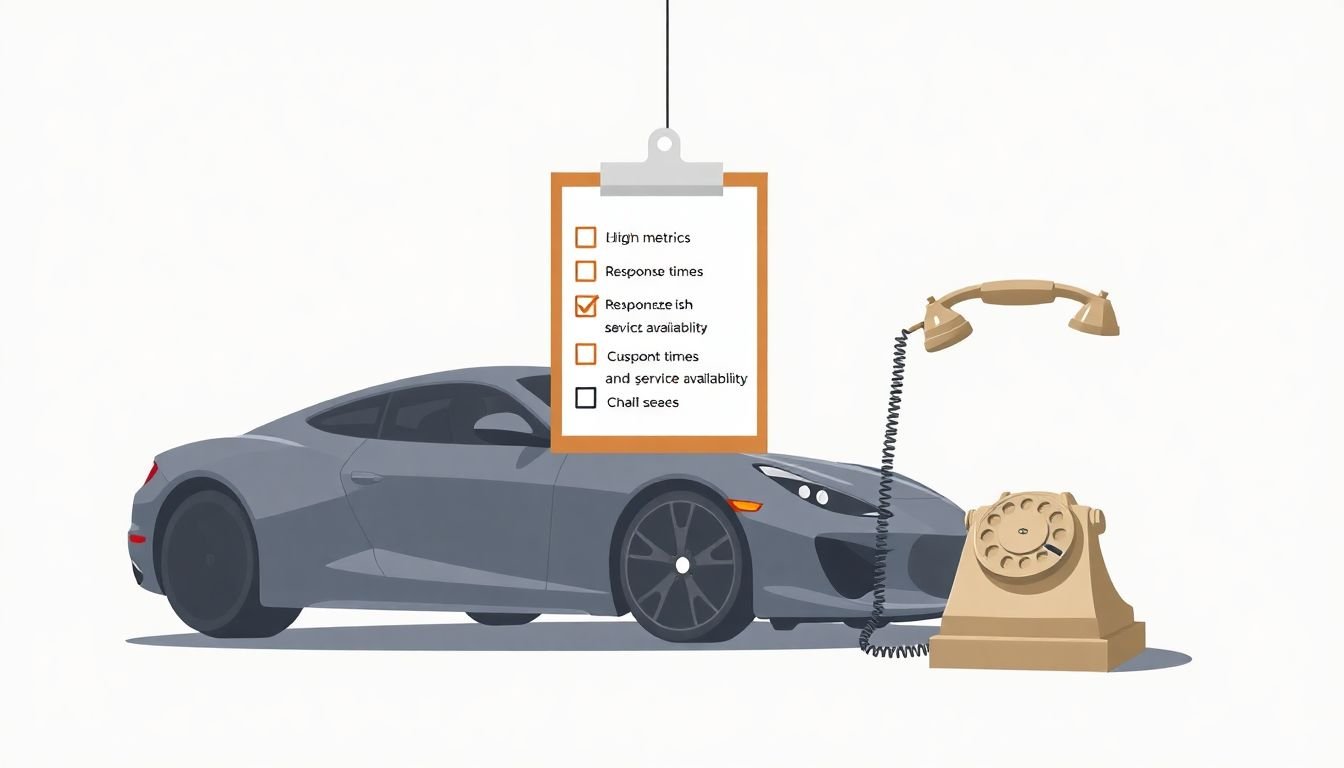
Here’s a simple review rhythm that works:
- Monthly: breach counts, percent met by metric, and top 3 incident categories.
- Quarterly: deep-dive root causes, process changes, and customer feedback themes.
What I track during reviews:
- Response time compliance rate by severity (e.g., % of Severity 1 tickets with first response within 2 hours).
- Resolution target attainment (e.g., % resolved within 24 business hours).
- Uptime with the exact same formula used in the SLA.
- Communication quality: time to first update and frequency of updates during major incidents.
Uptime calculation example:
If a month has 43,200 minutes and you had 216 minutes of confirmed unavailability, uptime = (43,200 - 216) / 43,200 × 100 = 99.5%.
And please don’t review only your internal dashboard. I always include customer-facing signals too: ticket comments, satisfaction scores, and “was the workaround actually usable?”
That’s how you avoid the situation where you’re technically compliant but still losing trust.
5. Employ Automated Monitoring Tools
Manual SLA tracking sounds heroic until you’re doing it at 2 a.m. during an incident. Then it becomes chaos.
Automation helps because SLAs are basically about timing + evidence. You want consistent timestamps and audit-friendly logs.
What to automate (minimum viable checklist):
- Ticket timers: start time, pause conditions (if any), and first response time.
- Health checks: service availability and incident start/end times.
- Breaches: automatic detection of SLA violations based on the SLA’s exact rules.
- Reporting: monthly SLA reports with the same metrics and definitions used in the agreement.
I’m not going to pretend every tool is perfect, but the key is consistency. If the tool measures “response time” differently than your SLA definition, you’ll get disputes.
Also, don’t overcomplicate your first reporting view. In the early days, I aim for one dashboard that answers three questions fast:
- Which SLA metrics were breached?
- How many times, and in which services/tenants?
- What’s the top root cause category driving the breaches?
If you’re using a platform like ServiceNow or similar ITSM tools, you’ll typically configure SLA timers tied to ticket fields (priority/severity, assignment group, and timestamps). The “win” is making sure the SLA logic mirrors your SLA document—especially around what counts as first response and how you handle pauses.
In short: automation isn’t a nice-to-have. It’s how you stop fighting over the numbers.
6. Train Your Team on SLAs
An SLA doesn’t matter if the people executing it don’t know what it says—or what it means in practice.
I like training that’s short, scenario-based, and tied to actual workflows your team uses daily.
What I include in training:
- How severity is determined (and who can change it).
- What “first response” means (a real example message helps).
- Escalation triggers and timelines (who gets paged when).
- Comms cadence during incidents (e.g., update every 30 minutes until mitigation confirmed).
- How to document workarounds and evidence for breach calculations.
Example “first response” template (for support tickets):
“Thanks for reporting this. We’ve confirmed the issue is impacting [scope]. Severity is set to [S1/S2]. We’re investigating and will provide an update by [timestamp]. In the meantime, here’s the workaround: [steps].”
And yes, I encourage questions. If your team feels like the SLA is “handed down,” they’ll ignore it when pressure hits. If they helped shape the definitions, they’ll actually use them.
If you want a quick refresher approach, I’ve found that short internal videos and FAQ cards work really well—similar to how you’d structure learning content for students. You can use educational videos for students to learn at their own pace as a mindset: keep it focused, repeatable, and easy to find during an incident.
7. Prepare for SLA Breaches
Reality check: even with good processes, you’ll have breaches sometimes. Systems fail. People make mistakes. Dependencies go down.
The difference between a manageable breach and a painful one is whether you already planned for it.
Here’s what I recommend putting in the SLA (or an attached breach policy):
- Escalation path: who gets notified at each stage.
- Timeline: how fast escalation happens after a breach is detected.
- Root-cause workflow: what “analysis complete” means.
- Customer remedies: service credits, penalties, or other remedies.
- Exclusions: what’s not counted (e.g., customer-caused downtime, force majeure).
Escalation timeline template:
- T+0: SLA breach detected by monitoring/ITSM rules.
- T+30 minutes: notify incident commander + service owner.
- T+60 minutes: notify customer success / account owner (internal) and prepare customer update.
- T+4 hours: executive escalation if still not mitigated for Severity 1.
Service credit example (simple and fair):
“If monthly uptime falls below 99.5% but remains at or above 99.0%, Customer will receive a service credit equal to 5% of the affected service’s monthly fees. If uptime falls below 99.0%, Customer receives 10% service credit.”
One more practical habit: run breach drills. Not just “how to respond,” but “how to calculate credits and produce evidence.” That’s where teams get stuck when it’s real.
8. Maintain Open Communication During Issues
When something breaks, the worst move is silence. Customers don’t need perfection—they need updates they can trust.
Open communication during downtime does two things: it reduces frustration and it keeps you from getting blamed for things you haven’t even done yet (because, honestly, customers will assume the worst if you don’t tell them otherwise).
Communication rules I’ve used successfully:
- Start updates early: once severity is confirmed.
- Update frequency: every 30 minutes for Severity 1, every 2 hours for Severity 2 (adjust to your environment).
- What to include: impact scope, what’s been attempted, next step, and estimated time to mitigation (even if it’s a range).
- Ownership: one person leads comms so messages stay consistent.
Social platforms do this well. For example, Twitter uses dedicated support/update accounts during outages so users aren’t left guessing what’s happening.
Internally, you should also document who handles customer inquiries, what support can say publicly, and how you answer “are we getting credits?” during an incident.
Transparency isn’t just a nice gesture—it’s part of how you protect the relationship while you fix the problem.
FAQs
A solid SLA should spell out the service scope, measurable performance targets, and the exact metrics/definitions used to calculate compliance. It should also cover roles and responsibilities, response and resolution targets, reporting cadence, and what happens when targets aren’t met (escalation steps, remedies/service credits, and exclusions).
I recommend reviewing SLAs at least annually, and doing a lighter quarterly check to catch definition mismatches and recurring breach root causes. Update sooner if your services change significantly (new product modules, new dependencies, major process changes) or if customers consistently interpret metrics differently.
Automated SLA monitoring gives you consistent, timestamped evidence and reduces human error. It also helps you detect breaches quickly, trigger escalations automatically, and generate reports that match the SLA’s measurement rules—so you’re not scrambling for spreadsheets when something goes wrong.
Prepare for breaches like you prepare for incidents: define escalation triggers, run scenario drills, document the root-cause workflow, and agree on how you calculate remedies/service credits. Then make sure the customer comms plan is ready so stakeholders aren’t left waiting for answers.