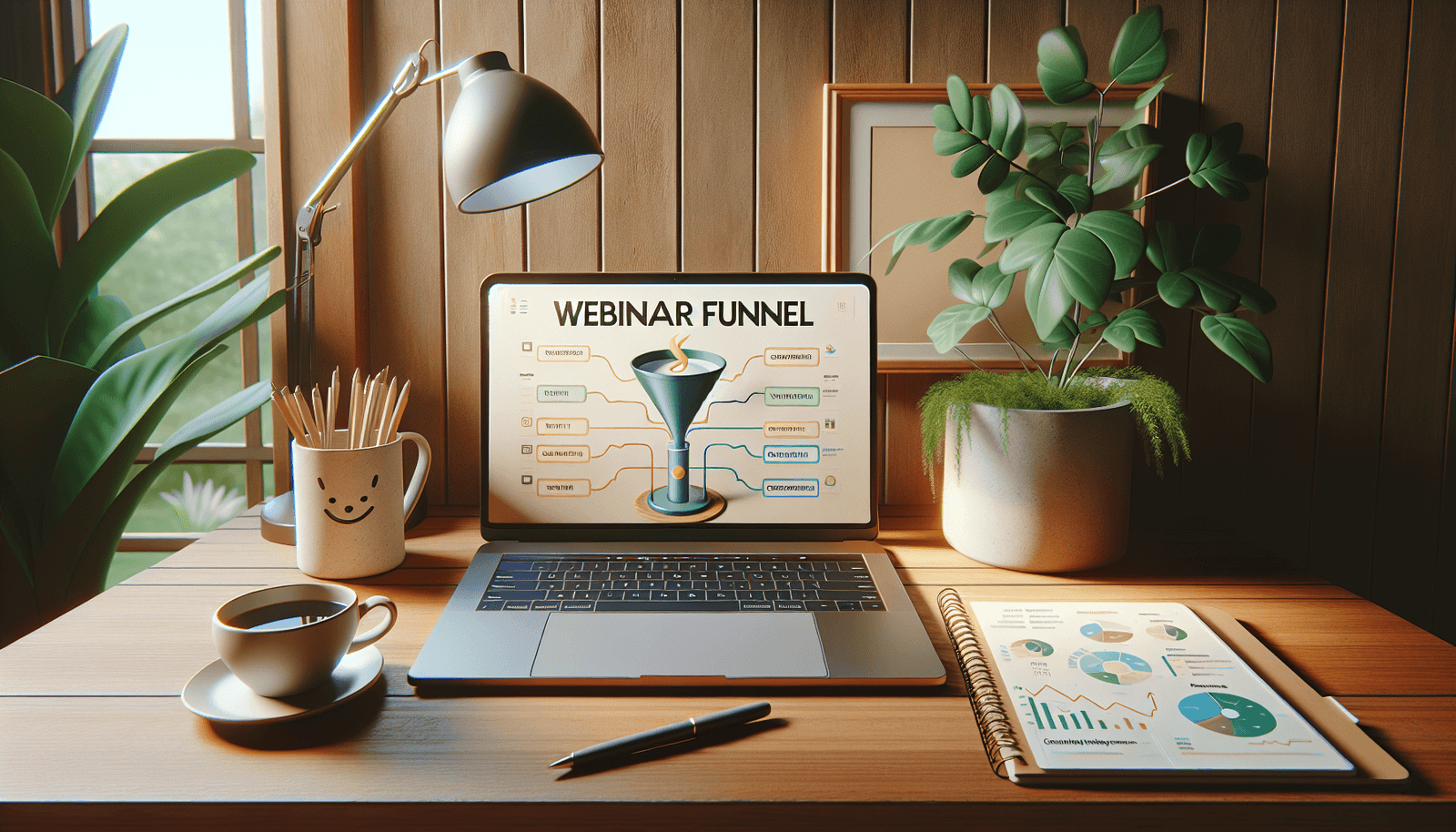
How to Create a Webinar Funnel: 11 Steps for Success
Trying to build a webinar funnel can feel a bit like solving a Rubik’s cube blindfolded. You know there’s a “right” sequence somewhere… but at first, everything just looks tangled.
What helped me (and what I’ve seen work for teams I’ve supported) is treating a webinar funnel like a real workflow, not a vague marketing idea. When you break it into stages—get attention, earn interest, then convert—you stop guessing and start measuring.
In this post, I’ll walk you through a practical 11-step webinar funnel I’ve used end-to-end (planning through follow-up), plus the exact pieces I’d set up again if I had to rebuild it from scratch. I’ll also call out a couple of mistakes we made early on—because those are usually the real reason conversion rates stay stubbornly low.
Key Takeaways
Stefan’s Audio Takeaway
- Structure your webinar funnel in three stages: awareness → consideration → conversion, with a specific page + email for each stage.
- Build personas using analytics + direct feedback (survey 10–20 people, then validate with page/session data).
- Set SMART goals with target ranges (ex: registration-to-attendance show-up rate of 35–55% depending on audience).
- Pick a webinar format (live vs evergreen vs hybrid) based on your sales cycle and how fast you need results.
- Write webinar content around outcomes, not topics—include at least 2 interactive moments (poll/Q&A) to keep attention.
- Design funnel pages with a clear offer, proof, and friction-free forms (aim for 1–3 form fields, not 8).
- Promote using a calendar: organic posts + 2–4 email touches + optional paid targeting and partner co-promos.
- Boost attendance with a reminder sequence (ex: T-7 days, T-1 day, T-2 hours) and a calendar link.
- Host professionally with a “run of show” and audio/lighting checks—most drop-offs are avoidable tech issues.
- Follow up with registrants using a 3-email sequence (thank you, value recap, and CTA) plus replay access.
- Analyze funnel performance using a simple funnel dashboard: CTR, CVR, show-up rate, and post-webinar conversions.
1. Create Your Webinar Funnel Step-by-Step
I like to map the funnel as a “minimum viable system” first, then add polish. Here’s the version I’d start with if I were launching next week.
Stage 1: Awareness (get clicks)
Goal: drive people to a single landing page.
Assets I’d use: 1 short blog post (or LinkedIn article), 3–5 social posts, and 1 email invite to your list.
What to track: landing page CTR from social/email and overall landing page sessions.
Stage 2: Consideration (prove it’s worth it)
Goal: convert visitors into registrants.
Landing page sections that actually matter:
- Hero: webinar title + clear outcome (not just “learn about…”)
- Agenda snapshot: 3–5 bullets (what they’ll walk away with)
- Who it’s for: 2–3 lines that call out the right audience
- Speaker credibility: short bio + relevant results
- Proof: 1 testimonial + 1 metric (ex: “helped 120 teams…”)
- FAQ: duration, recording availability, what to prepare
- Form + CTA: minimal fields + “Register for free” button
Stage 3: Conversion (show up + take action)
Goal: attendance and post-webinar conversion.
Two things I’d automate:
- Reminder sequence: email reminders + calendar link
- Follow-up sequence: replay/value email + CTA email
Automation tools can keep this funnel running smoothly—but the real win is that you can measure every step. When we ran one funnel with manual follow-ups, we saw the open rates vary wildly. Once we automated the reminders and tagging, the show-up rate stabilized.
2. Identify Your Target Audience
If you’re not sure who your webinar is for, your messaging will feel “fine” to everyone and compelling to nobody. That’s the trap.
Start with the simple question: Who would benefit most from the outcome you’re promising? Then go one level deeper: What are they trying to do this month?
A persona example (use this format)
Persona: “Marketing Manager at a B2B SaaS (50–200 employees)”
Primary pain: webinars get registrations, but attendance is low and leads aren’t converting.
Time horizon: needs results in 30–60 days (quarterly pipeline targets)
What they care about: show-up rate, lead quality, and a repeatable process
How I collect data quickly (and validate it)
- Survey: ask 10–20 people 3 questions (ex: “What’s your biggest webinar problem?” “What have you tried?” “What would ‘success’ look like?”)
- Analytics: check which blog posts or pages bring the most engaged visitors
- Sales/CS notes: pull 10 objections you hear repeatedly
- Social polls: test 2–3 webinar titles and see which gets more replies/clicks
One stat I keep in mind: 67% of buyers consumed webinars last year. That’s not permission to be generic—it’s a reminder that your audience is already looking for this format. Your job is to sound like you understand their specific situation.
3. Set Clear Goals for Your Webinar
Before you plan slides, decide what “success” means. Otherwise, you’ll be stuck celebrating registrations while quietly ignoring the metrics that actually matter.
Use SMART goals (with target ranges)
- Specific: “Generate qualified leads for our demo pipeline.”
- Measurable: “Achieve X registrations and Y qualified leads.”
- Achievable: “Based on past landing page CVR of ~3–6%.”
- Relevant: tied to your sales motion.
- Time-bound: “By the webinar date + 14 days.”
Example targets I’d set
For a B2B audience:
- Landing page CVR: 3–8%
- Registration-to-attendance (show-up rate): 35–55%
- Attendance-to-CTA click: 5–12%
- Post-webinar conversion: 1–4% to demo/trial (varies a lot by offer)
Here’s what we learned the hard way: we once set a goal like “get 500 registrations” but didn’t define qualified. When registrations hit 520, but only 12% were the right fit, the sales team didn’t feel it. After that, we started tracking attendee quality (company size, role, and intent signals) so we could judge the funnel properly.
Quick KPI checklist (so you don’t miss anything)
- Visitor → registration conversion rate
- Registration → show-up rate
- Show-up → engagement (poll answers, chat messages)
- Engagement → CTA clicks
- CTA clicks → demo/trial (or your primary conversion)
4. Choose the Best Webinar Format
This decision changes everything: your timeline, your content style, and even your follow-up.
Live webinar
Best for: time-sensitive topics and audiences that want interaction.
- Pros: real-time Q&A, urgency, higher engagement potential
- Cons: you’re scheduling around everyone’s calendar
On-demand / evergreen webinar
Best for: building a library that keeps generating leads.
- Pros: no “missed live” problem, easier rescheduling
- Cons: you need better landing page + email nurturing since there’s no live urgency
Hybrid webinar
Best for: teams that want a live kickoff but offer replay for late registrants.
About that “evergreen” example: HubSpot’s “The Science of Email Marketing” is a great benchmark because it shows how an evergreen webinar can compound. Just don’t copy the title—copy the structure: clear promise, practical steps, and proof.
5. Develop High-Quality Webinar Content
Here’s my rule: your webinar should feel like a workshop, not a lecture.
Start with outcomes. Not “we’ll cover email marketing.” Instead, “you’ll leave with a 30-minute email audit checklist” or “a webinar funnel outline you can reuse next week.”
Example agenda (45–60 minutes)
- 0–5 min: welcome + who this is for + what they’ll achieve
- 5–15 min: the problem (with a quick story/data)
- 15–35 min: the framework (3–5 steps) + example walkthrough
- 35–50 min: live teardown or case study (show “before/after”)
- 50–60 min: Q&A + CTA (what to do next)
Interactive moments that don’t feel forced
- Poll #1: “Which step are you stuck on?” (2–4 options)
- Q&A prompt: “Drop your biggest question—I'll answer 3 live.”
When you’re writing, remember you’re competing for attention. In practice, that means every section needs a “so what?” answer. Even a short story should lead to a takeaway.
And yes, personal stories can help—just don’t turn the webinar into your life story. Use them to explain decisions. Example: “We tried X, it didn’t work because Y, so we changed Z.” That’s what builds trust.
6. Design Your Webinar Funnel Pages
This is where funnels win or lose. You can have great content and still bleed conversions if your landing page doesn’t earn the click.
What I’d include on the registration landing page
- Title + outcome: “How to build a webinar funnel that gets people to show up (and convert)”
- Agenda bullets: 3–5 lines
- Proof: 1 testimonial + 1 credibility point (speaker experience, stats, or partner logos)
- Form: name, work email, role (optional: company size). Keep it to 1–3 fields if you can.
- CTA button: high contrast and repeated at least once near the form
- FAQ: time zone, duration, recording policy, what attendees need
Test ideas that are easy (and actually measurable)
- A/B test #1: hero headline (outcome-based vs topic-based)
- A/B test #2: form fields (3 fields vs 4–5 fields)
- A/B test #3: testimonial placement (above the fold vs near the CTA)
Benchmarks to aim for
- Landing page CTR: depends on source, but 1–3% is a decent baseline for many campaigns
- Registration CVR: often 3–8% for B2B when the offer is clear
- Mobile form completion: if it tanks on mobile, shorten fields and reduce distractions
One small thing I always check: if your page has a “Submit” button but no visible confirmation (“You’re registered”), people worry they broke it. Add a clear confirmation message and make sure the confirmation page includes a calendar link.
7. Promote Your Webinar Effectively
Promotion isn’t just “post a link.” It’s a sequence. If you only send one email and call it a day, you’re leaving attendance on the table.
A simple promo calendar (example)
- T-14 days: social post + blog mention
- T-10 days: email #1 invite
- T-7 days: social reminders + email #2 “what you’ll learn”
- T-3 days: email #3 with agenda + speaker proof
- T-1 day: social + short email “last chance” (or a different angle)
- T-0: day-of reminder
Example email subject lines (that don’t sound spammy)
- “Want a webinar funnel that actually converts? (free live training)”
- “Here’s what you’ll walk away with in 60 minutes”
- “Quick question: what part are you stuck on?”
- “Live tomorrow—save your spot”
Paid + partnerships (when it makes sense)
If you run paid ads, target based on role and intent signals (job titles, industry, or retargeting your landing page visitors). Don’t just blast broad audiences.
Partner co-promotion works best when the partner has a similar audience and can share a short “why I’m hosting this” message. Those personal notes usually outperform generic reposts.
8. Maximize Attendance and Engagement
Registrations are nice. Attendance is where your funnel gets real.
Reminder sequence I’d recommend
- T-7 days: reminder + agenda + “add to calendar” link
- T-1 day: urgency + what to expect + speaker credibility
- T-2 hours: short “starting soon” email + playback plan (even if live)
Subject line formulas I’ve used
- “Starts in 2 hours: {{Webinar Title}}”
- “Don’t miss this: {{Top takeaway}}”
- “Quick reminder for {{date}} (calendar link inside)”
Engagement during the webinar
Encourage participation early. If you wait 30 minutes to do a poll, people won’t bother. Ask for engagement in minute 10–15, then again near the end.
Also: make your CTA consistent with the content. If you promised a checklist, the CTA should offer the checklist or a deeper resource—otherwise it feels disconnected.
And if you’re offering incentives, do it strategically. For example, “attendees get the funnel template pack” tends to feel more valuable than “attendees get a random discount” (unless your product is already in the buying stage).
9. Host Your Webinar Professionally
I’m going to be blunt: most webinar failures aren’t content failures. They’re tech, timing, or delivery issues.
Run-of-show checklist (quick but important)
- Sound check (use headphones, not laptop speakers)
- Slide deck tested on the same screen share mode you’ll use
- Back-up plan for internet (mobile hotspot ready)
- Moderation plan for chat/Q&A (who answers, when)
- Opening script prepared (so you don’t ramble at minute 1)
Environment matters more than you think
Good lighting and a clean background help people trust you. If you’re on camera, position your face so it’s not looking down at the screen. Small things, big effect.
During the webinar, keep your pace tight. If you’re going long, tell them. People don’t mind a real timeline—they mind feeling lost.
10. Follow Up with Registrants
This is where you turn attention into action. If you only send “thanks for attending” and nothing else, you’re basically wasting the momentum you just earned.
My 3-email follow-up sequence (example)
- Email #1 (within 24 hours): thank you + recap + replay link + 1 key takeaway
- Include a short “what we covered” section (3 bullets)
- Email #2 (T+2 to 3 days): deeper value + resource download + soft CTA
- Example: “Grab the webinar funnel template”
- Email #3 (T+5 to 7 days): offer + urgency + objection handling
- Example: “Want us to review your funnel? Book a demo/trial.”
Recording + segmentation
Send the replay to everyone, but segment the CTA based on behavior. If someone watched 70%+ of the replay (or clicked multiple links), they’re warmer. If they registered but didn’t attend, still share value—just don’t go hard on the sales ask immediately.
Also, include links to relevant resources (blog posts, guides, or your main product page). The follow-up shouldn’t feel like a dead end.
11. Analyze and Improve Your Webinar Funnel
After the webinar, don’t just “check the numbers.” Use them to diagnose what broke.
What I measure every time
- CTR: which promo channels got clicks
- Landing page CVR: which page version drove registrations
- Show-up rate: registration → attendance
- Engagement: polls answered, chat activity, Q&A participation
- CTA performance: clicks on offer link during or after the webinar
- Post-webinar conversion: demo/trial signups or qualified leads
Feedback that’s actually useful
Ask attendees a couple of specific questions:
- “What was the most valuable part?”
- “What confused you or felt missing?”
- “What would you want to see in the next session?”
Then make one improvement at a time. If you change the title, landing page, email copy, and webinar structure all in one go, you won’t know what caused the change.
That’s how funnels get better—not by luck, but by repeatable iteration.
FAQs
The first step is to map your webinar funnel step-by-step: define the audience, set goals, choose the webinar format, and plan the content flow so your landing page, emails, and webinar experience all match the same promise.
Use a mix of social posts, email invitations (at least 2–4 touches before the webinar), and optional paid ads or partner co-promotion. Keep the messaging outcome-based, and repeat the value—not just the date.
Plan at least 2 interactive moments (a poll early + Q&A mid-to-late). Ask a specific question, encourage chat participation, and answer the top questions you see. Engagement drops when the webinar feels like a one-way lecture.
It’s crucial. Follow-up reinforces the key takeaways, gives replay access, and nudges people toward the next step (download, demo, trial, or purchase). A simple 3-email sequence usually performs better than a single “thanks” message.